
Sharing a treatment room with another practitioner
October 9, 2026
A lot of small practices are not one practitioner in one room. A married couple who each run their own practice, two colleagues splitting the cost of a single treatment room, a coach and a bodyworker sharing a suite. The business side of this is usually two completely separate practices. The scheduling side is the hard part, because the room itself only exists once.
What stays separate
Each practitioner keeps a fully independent RafaNest account, with a separate login, a separate patient list, a separate calendar, separate services and pricing, separate billing, and a separate public booking page. If the same person happens to see both practitioners, each practitioner has their own chart for that patient, and clinical notes never cross between the two accounts, even though it is the same room and the same patient.
What is shared
The one thing two independent practices actually share is the physical room. RafaNest can link two practitioners into a shared room so the booking system treats it as a single resource. Book a slot with one practitioner and that same time at the shared room stops being offered to patients booking with the other practitioner. This holds up even when two patients try to book the exact same slot at the exact same moment from two different booking pages, not only when the booking screen happens to notice first.
How to link your room, step by step
This is entirely self serve. Nobody from RafaNest needs to set it up or get involved at any point.
Each practitioner needs their own RafaNest account first. If one of you has not signed up yet, do that the normal way before starting here.
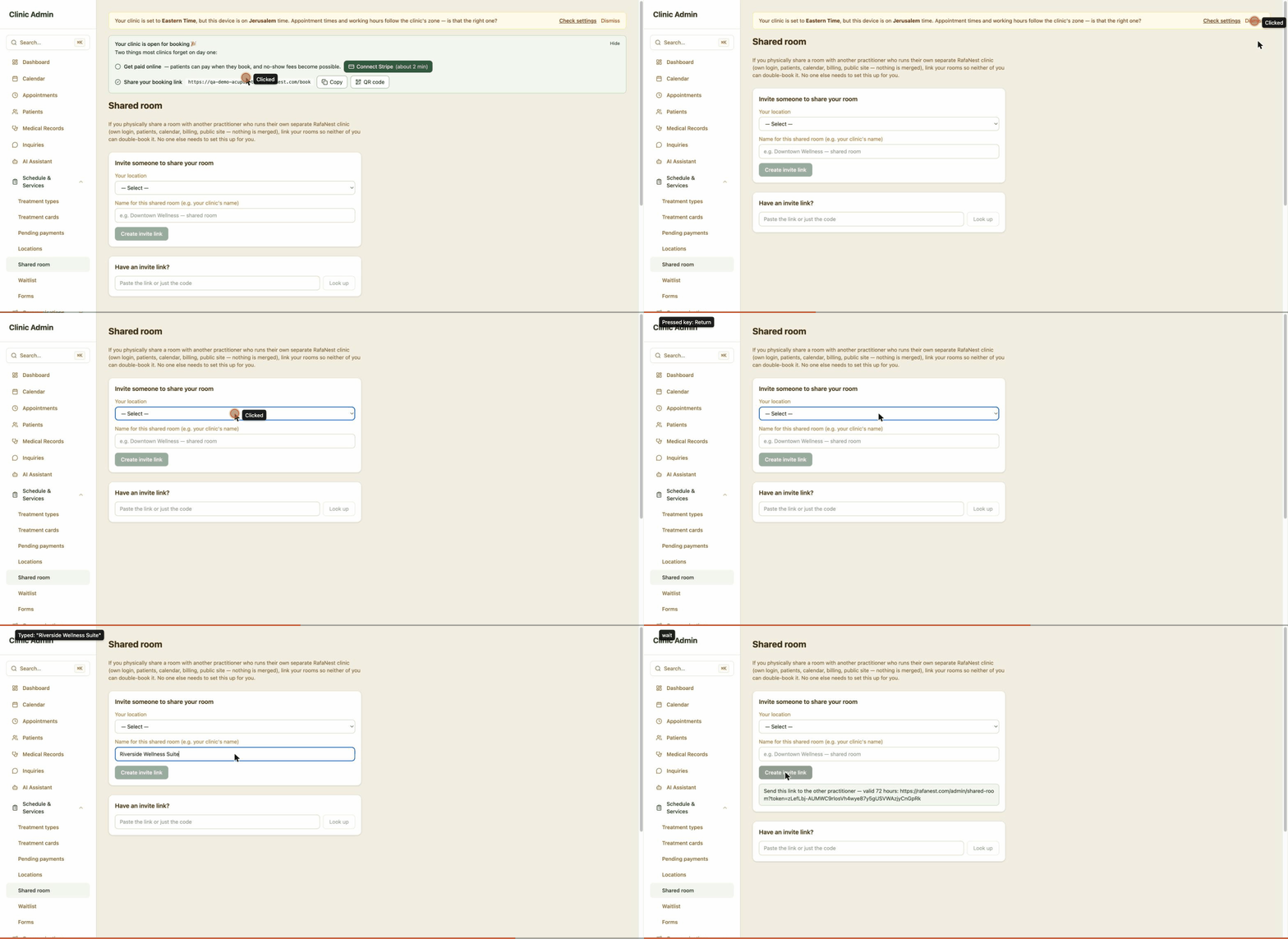
One of you opens Shared room under Schedule and Services in the sidebar, picks the location that is the shared room, and creates an invite link. That link is good for 72 hours.
Send the link to the other practitioner however you normally would, text message or email.
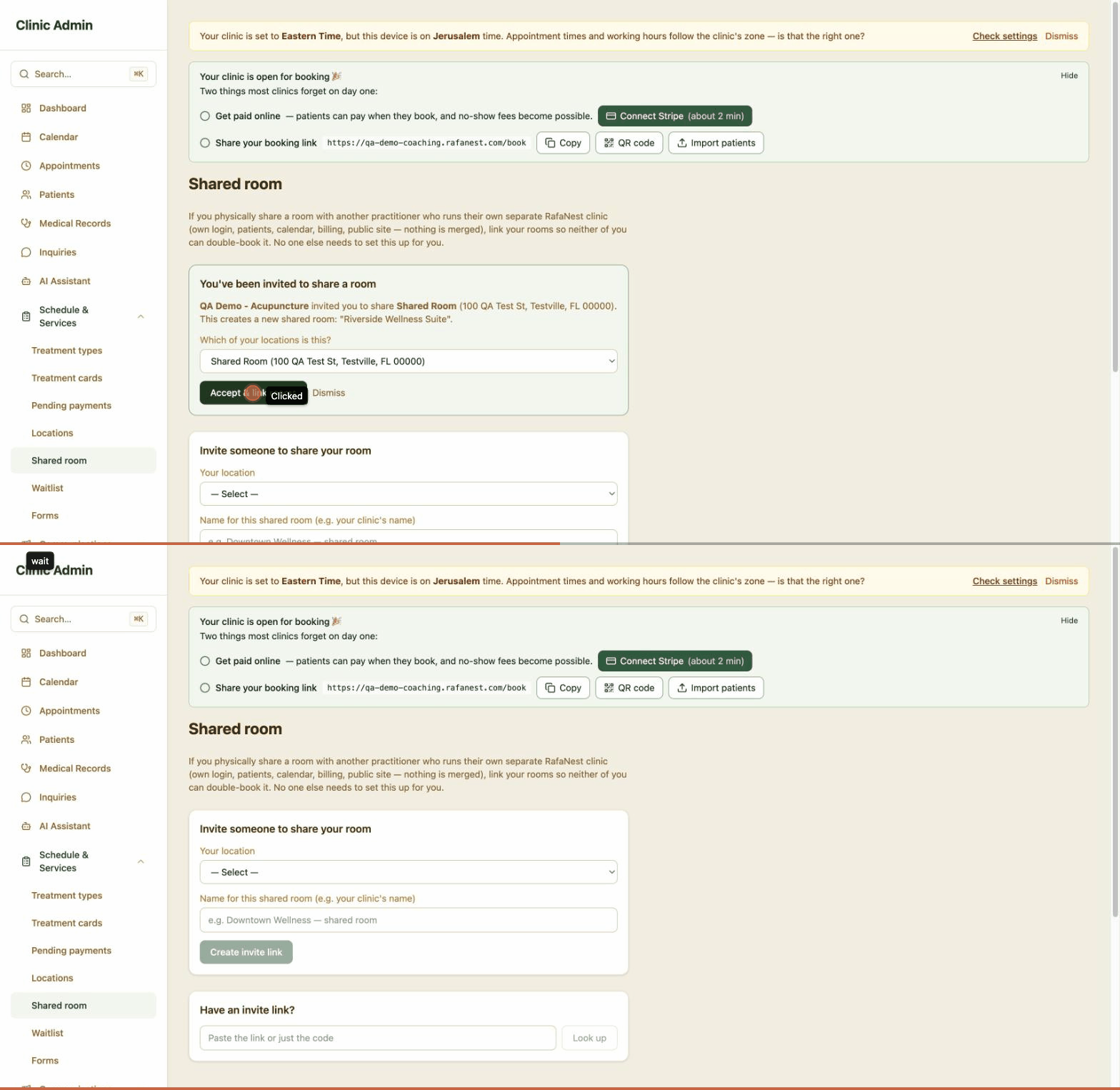
They open the link from their own account, pick which of their own locations is the same physical room, and accept it.
That is the whole setup. From that moment on, a booking at either practitioner blocks that time for the other one automatically.
Changing your mind later
Either practitioner can leave the shared room from the same Shared room settings page at any time. Leaving only un-links your own location. It never touches your patients, your calendar, your billing, or the other practitioner account.